
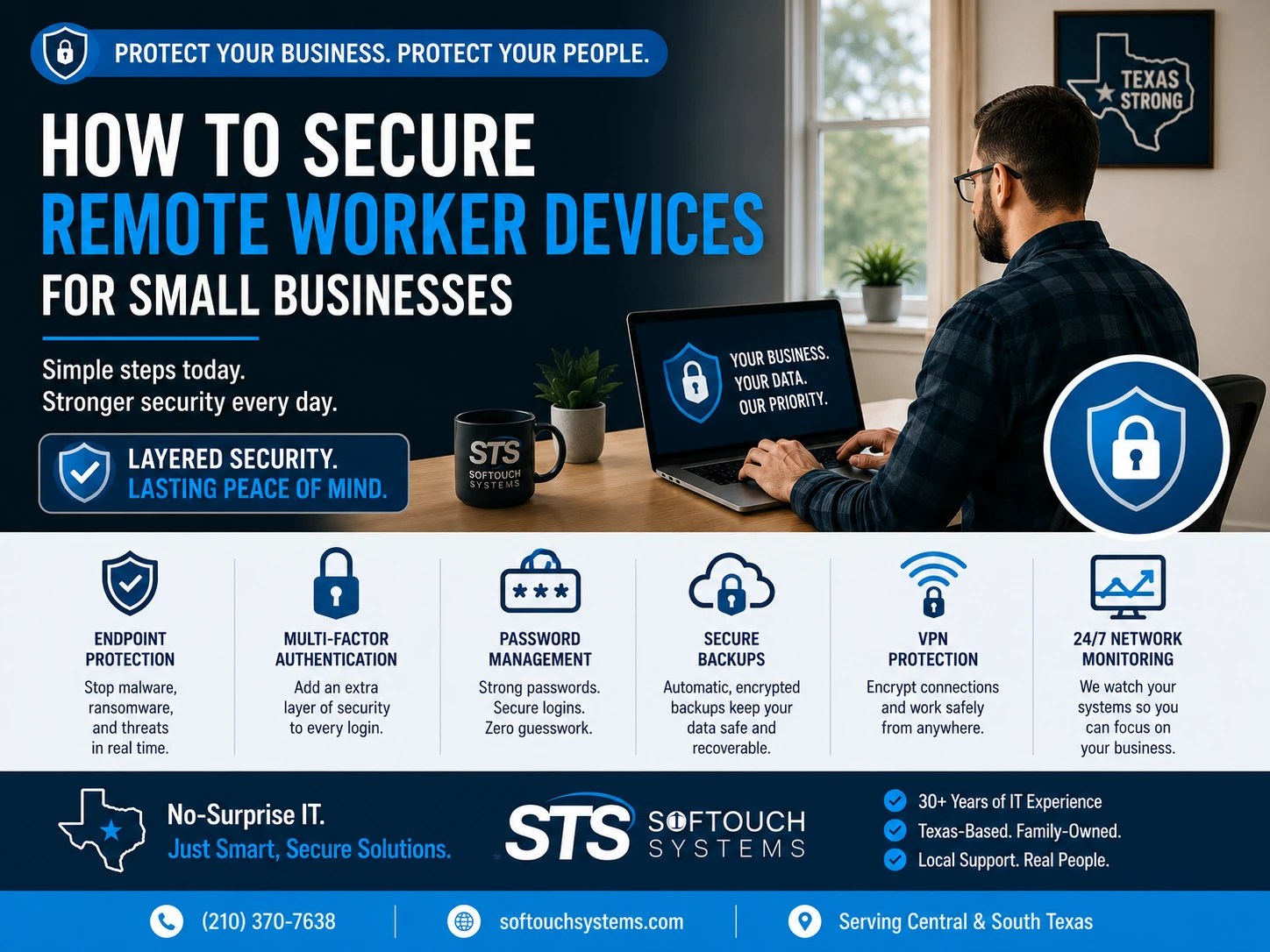
Learning how to secure remote worker devices has become one of the most important cybersecurity tasks for small businesses. Employees now work from home, client sites, hotels, airports, coffee shops, and anywhere else they can open a laptop. That flexibility improves productivity, but it also creates more opportunities for cybercriminals.
The office firewall no longer protects every employee. Instead, every laptop, smartphone, and tablet has become its own security perimeter. CISA’s mobile security guide can be found here.
That means one compromised device can expose email, customer information, financial records, cloud storage, and business applications.
Fortunately, securing remote devices does not require enterprise-sized budgets. It requires practical planning, consistent policies, and the right security tools.
Why Remote Devices Are Attractive Targets
Cybercriminals prefer easy targets.
Remote workers often connect through home Wi-Fi, public internet, hotel networks, and personal devices. Employees may also download software without approval, postpone updates, reuse passwords, or leave laptops unattended while traveling.
Each of these situations creates an opportunity for attackers.
Once a criminal gains access to one employee’s device, they may attempt to:
- Steal business credentials
- Access Microsoft 365 or Google Workspace
- Install ransomware
- Read confidential email
- Access customer records
- Move deeper into the company network
The goal is rarely the laptop itself.
The goal is the business data behind it.
1. Require Multi-Factor Authentication Everywhere
Passwords alone are no longer enough.
Every remote employee should use multi-factor authentication (MFA) for:
- Business email
- Microsoft 365
- Google Workspace
- VPN access
- Accounting software
- CRM platforms
- Cloud storage
- Password managers
- Administrative accounts
Even if a password is stolen through phishing or a data breach, MFA makes unauthorized access much more difficult.
For most small businesses, enabling MFA is one of the fastest and least expensive security improvements available.
2. Protect Every Device with Managed Endpoint Security
Antivirus software should not simply scan for viruses.
Modern endpoint protection continuously monitors devices for malware, ransomware, suspicious behavior, and emerging threats.
A managed endpoint solution should include:
- Real-time malware protection
- Behavioral threat detection
- Ransomware protection
- Automatic updates
- Centralized management
- Device health monitoring
- Threat reporting
If every employee manages their own antivirus, security quickly becomes inconsistent.
Centralized management gives business owners confidence that every protected device follows the same security standards.
3. Keep Operating Systems and Software Updated
Many successful cyberattacks exploit vulnerabilities that already have available security patches.
Unfortunately, remote workers often delay updates because they interrupt work.
Those delays create unnecessary risk.
Automatic updates should be enabled whenever practical for:
- Windows
- macOS
- Mobile devices
- Web browsers
- Office applications
- Security software
- Business applications
Regular patch management removes many known attack paths before criminals can use them.
4. Use a Business Password Manager
Remote workers often juggle dozens of accounts every day.
Without a password manager, employees frequently:
- Reuse passwords
- Save passwords in browsers
- Write passwords on paper
- Share passwords through email
- Store credentials in spreadsheets
These habits increase business risk.
A business password manager like 1Password helps employees create strong, unique passwords while allowing administrators to manage shared credentials, onboarding, and employee offboarding securely.
Password-first security reduces everyday risk without slowing employees down.
5. Encrypt Internet Connections with a VPN
Remote employees frequently connect through networks the business does not control.
Public Wi-Fi at airports, hotels, restaurants, and coffee shops can expose sensitive information if connections are not properly protected.
A trusted VPN encrypts internet traffic, helping protect business communications from interception while employees work remotely.
A VPN should be considered another layer of protection, not a replacement for antivirus, MFA, or endpoint security.
6. Back Up Remote Devices
Business files no longer live only inside the office.
Employees create documents on laptops, tablets, and cloud services every day.
Without proper backups, businesses risk losing:
- Customer files
- Contracts
- Photos
- Financial documents
- Project files
- Emails
A good backup strategy should include:
- Automatic backups
- Offsite storage
- Encryption
- Restore testing
- Monitoring
- Recovery documentation
Remember:
A backup is only valuable if it restores successfully.
7. Separate Personal and Business Use
Remote devices often become family devices.
Children install games.
Family members browse the internet.
Personal email mixes with business email.
These habits increase risk.
Whenever possible:
- Use company-managed devices.
- Separate business and personal accounts.
- Limit administrative privileges.
- Restrict software installation.
- Apply consistent security policies.
Simple boundaries reduce unnecessary exposure.
8. Train Employees to Recognize Phishing
Technology alone cannot stop every attack.
Employees remain one of the strongest security defenses—or the weakest.
Regular cybersecurity awareness training should teach employees to:
- Recognize phishing emails
- Verify unexpected invoices
- Avoid suspicious links
- Report unusual login prompts
- Confirm wire transfer requests
- Identify fake support calls
Training should be ongoing because attackers continuously change their tactics.
9. Monitor Devices Around the Clock
Problems rarely happen during business hours.
Continuous monitoring allows suspicious activity to be identified before it becomes a business disruption.
Monitoring may detect:
- Malware infections
- Failed updates
- Unauthorized software
- Suspicious logins
- Device health problems
- Storage failures
- Unusual network activity
Early detection often reduces downtime and recovery costs.
10. Have a Remote Device Recovery Plan
Eventually, something will go wrong.
A laptop will be stolen.
A phone will be lost.
An employee will click the wrong link.
Preparation determines how quickly the business recovers.
Every small business should know:
- Who reports security incidents
- How lost devices are disabled
- How passwords are reset
- How backups are restored
- Who contacts IT support
- How business operations continue during recovery
Planning before an emergency always costs less than improvising during one.
Remote Work Security Checklist
Ask yourself these questions:
- Does every remote employee use MFA?
- Are all business devices protected with managed endpoint security?
- Are software updates installed automatically?
- Do employees use a business password manager?
- Is VPN access available for remote work?
- Are remote devices backed up automatically?
- Are employees trained to recognize phishing?
- Are devices monitored continuously?
- Is there a documented recovery process for lost or stolen devices?
If you answered “no” or “I’m not sure” to several questions, your remote workforce may have unnecessary cybersecurity gaps.
How SofTouch Systems Helps
SofTouch Systems helps small Texas businesses secure remote workers without creating complicated IT systems.
Our remote security services include:
- Managed endpoint protection
- 24/7 monitoring
- Password management with 1Password
- Multi-factor authentication deployment
- Backup and disaster recovery
- VPN guidance
- Patch management
- Security awareness training
- Remote IT support
- Device security reviews
Our goal is simple: protect every employee, whether they work in the office, at home, or on the road.
That is No-Surprise IT.
FAQ Secure Remote Devices for SMB
Use managed endpoint protection, MFA, strong passwords, a business password manager, automatic updates, encrypted backups, VPN access, and employee security training.
Whenever possible, employees should use company-managed devices. If personal devices are allowed, businesses should enforce clear security policies and management controls.
No. A VPN encrypts internet traffic, while antivirus protects devices from malware. Businesses need both as part of a layered security strategy.
Security updates should be installed automatically whenever practical. Critical vulnerabilities should be patched as soon as possible.
Continuous monitoring helps identify malware, suspicious behavior, failed updates, and hardware problems before they disrupt business operations.
Yes. SofTouch Systems provides managed endpoint protection, monitoring, MFA deployment, password management, backups, and remote IT support for small businesses throughout Central and South Texas.
Final Thoughts
Remote work is now part of everyday business. However, flexibility should not come at the expense of security.
By combining strong passwords, MFA, endpoint protection, backups, VPNs, monitoring, and employee education, small businesses can significantly reduce the likelihood of costly security incidents.
Cybersecurity works best when every layer supports the next.
Next Steps
Schedule a free 15-minute Remote Work Security Review with SofTouch Systems. We’ll evaluate your current remote device security, identify potential risks, and recommend practical improvements that fit your business and budget.
Discover more from SofTouch Systems
Subscribe to get the latest posts sent to your email.