
August can expose problems that small and midsize businesses have been able to overlook for months.
Summer vacations, employee turnover, temporary staff, aging equipment, forgotten accounts, and deferred IT maintenance can leave security controls inconsistent. Then an insurance questionnaire, customer security assessment, compliance review, or internal IT audit arrives—and suddenly someone has to prove that the business is actually protecting its systems and data.
The problem usually isn’t that an SMB has no security measures.
The problem is that the business cannot demonstrate that those measures are consistently implemented, maintained, and documented.
Here are some of the most common reasons SMBs struggle with IT audits.
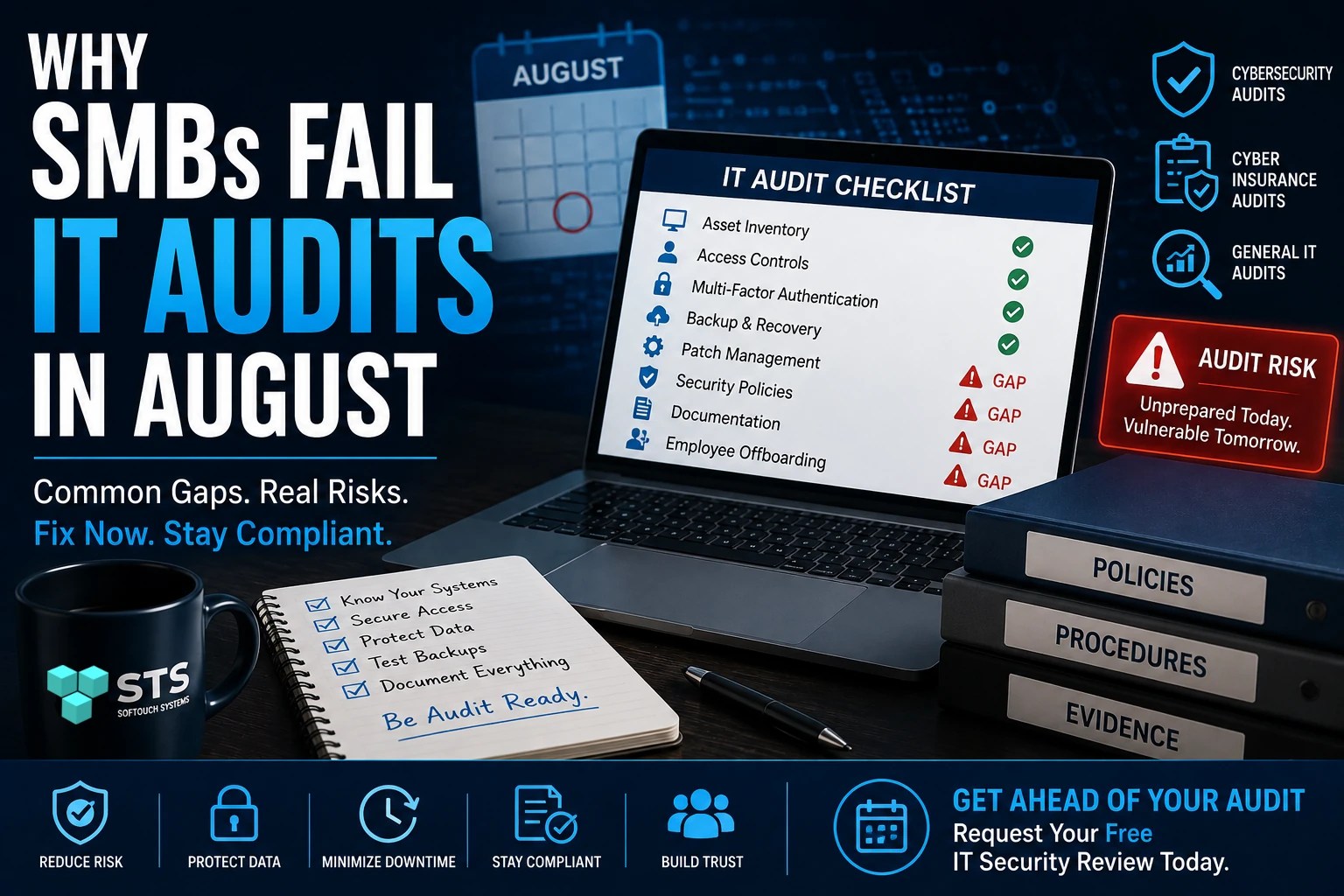
1. Nobody Knows What the Business Actually Has
You can’t adequately secure or audit technology you don’t know exists.
Small businesses frequently accumulate computers, mobile devices, cloud applications, routers, printers, software subscriptions, and online accounts without maintaining an accurate inventory.
An audit may uncover questions such as:
- How many computers access company data?
- Which devices are still running unsupported software?
- Who has administrative privileges?
- Which cloud applications contain business information?
- Which employees still have access to company systems?
- Are personal devices being used for business?
Without an accurate inventory, determining whether security controls cover the entire environment becomes difficult.
2. Former Employees Still Have Access
Employee offboarding is one of the easiest areas to overlook.
Someone leaves the company, but their Microsoft 365 account, VPN access, cloud applications, or other credentials remain active.
Even if nobody has malicious intentions, an unused account represents unnecessary exposure.
A good offboarding process should identify the employee’s accounts, devices, credentials, applications, and access permissions and ensure they are properly disabled or recovered.
3. Password Policies Exist on Paper—but Not in Practice
Having a password policy doesn’t necessarily mean employees follow it.
Auditors may look for evidence that organizations actually enforce appropriate authentication controls.
Common problems include:
- Shared accounts
- Reused passwords
- Excessive administrative privileges
- No password manager
- Missing multi-factor authentication
- Accounts belonging to former employees
Security policies are useful, but enforcement is what makes them meaningful.
4. Backups Exist, but Nobody Has Tested Them
“We have backups” is not the same as “we can recover.”
A business may have an automated backup system that appears to be working while nobody has verified whether files can actually be restored.
A responsible backup strategy should consider:
- What is being backed up?
- How frequently?
- Where are backups stored?
- Are backups protected from ransomware?
- Who can access them?
- How long are they retained?
- When was the last successful recovery test?
An audit can expose the difference between having a backup product and having a reliable recovery capability.
5. Software Updates Are Inconsistent
SMBs often have a mixture of current and outdated software.
One computer may be fully patched while another has missed updates for months. A forgotten server or network device may be running firmware that is years out of date.
This creates an uncomfortable audit question:
How do you know your systems are patched?
A business should have a process for monitoring operating systems, applications, firmware, and security tools—not simply rely on employees clicking “Update” when they see a notification.
6. Nobody Can Find the Documentation
Some businesses have reasonable security controls but struggle to prove it.
An auditor may ask for documentation covering:
- Backup procedures
- Employee onboarding and offboarding
- Incident response
- Password and authentication requirements
- Security awareness training
- Access controls
- Vendor management
- Business continuity
- Disaster recovery
If the answer is “I think our IT person has that somewhere,” the control may be difficult to demonstrate.
Documentation doesn’t have to be complicated. It needs to be accurate, current, accessible, and actually used.
7. Cyber Insurance Changed the Questions
Cyber insurance applications and renewals can require businesses to provide information about their cybersecurity practices.
Questions may involve multi-factor authentication, backups, endpoint protection, privileged access, patching, security awareness training, and incident response.
The important point is that businesses should not answer these questions based on assumptions.
If an application says MFA is enabled for all users, for example, the organization should be able to verify that statement.
An inaccurate answer can create problems later when a claim or security incident requires the business to demonstrate what controls were actually in place.
8. Security Tools Are Installed but Poorly Managed
Buying cybersecurity software doesn’t automatically create cybersecurity.
Antivirus, firewalls, backup systems, email protection, and other security products require configuration, monitoring, updates, and periodic review.
A security tool that generates alerts nobody monitors isn’t providing the same protection as a properly managed security system.
Audits can reveal the difference between having a security control and operating a security control effectively.
9. August Exposes Seasonal Gaps
August is particularly useful as a time for an internal review because summer schedules can expose weaknesses.
Employees take vacations. Temporary workers may come and go. Managers delegate responsibilities. Devices may be taken home or used from unfamiliar networks.
That makes August a good time to ask:
If the person responsible for IT or security disappeared tomorrow, would we know what needs to be done?
If the answer is no, the business probably has a process problem rather than simply a technology problem.
How to Prepare Before the Audit
You don’t need to wait for an auditor to discover your weaknesses.
Start with a basic review of:
- Hardware: Know what devices exist and who uses them.
- Software: Identify unsupported and unpatched applications.
- Accounts: Remove unnecessary and inactive accounts.
- Authentication: Verify MFA and privileged access.
- Backups: Confirm backups are running and test restoration.
- Security: Review endpoint, email, firewall, and other protections.
- Policies: Make sure important policies reflect actual practices.
- Documentation: Organize evidence showing that controls are being maintained.
- Employees: Review security awareness and onboarding/offboarding procedures.
- Vendors: Know which third parties have access to company systems or data.
The objective isn’t to make your business look secure for an audit.
The objective is to make the business genuinely more secure—and have enough evidence to prove it.
Don’t Let an Audit Be Your First Security Review
An audit should confirm that your security program is working. It shouldn’t be the first time anyone looks closely at it.
August provides a useful opportunity to identify forgotten accounts, outdated systems, inconsistent security controls, missing documentation, and backup problems before they become audit findings—or security incidents.
If you’re unsure where your business stands, SofTouch Systems offers a free IT Security Review to help identify potential security gaps and areas that deserve attention.
Request your free IT Security Review before the next audit finds the problems for you.
Discover more from SofTouch Systems
Subscribe to get the latest posts sent to your email.