
Cybersecurity headlines tend to come in one of two sizes: enormous or terrifying.
Millions of records exposed. Billions of dollars at risk. Sophisticated attackers. Ransomware. Artificial intelligence. Zero-day vulnerabilities.
For a small-business owner, it can be tempting to read those stories and think, “That’s a problem for big companies.”
It isn’t.
The size of the company may change the scale of the damage, but the underlying security problems are surprisingly familiar. Weak credentials. Vulnerable software. Third-party vendors. Poor access controls. Inadequate monitoring. Backups that may or may not work when needed.
Over the summer, several cybersecurity incidents provided useful examples of those risks.
Here are five that small-business owners should pay attention to—not because you need to worry about becoming the next Coca-Cola or KDDI, but because each incident demonstrates a security problem that can affect businesses of almost any size.
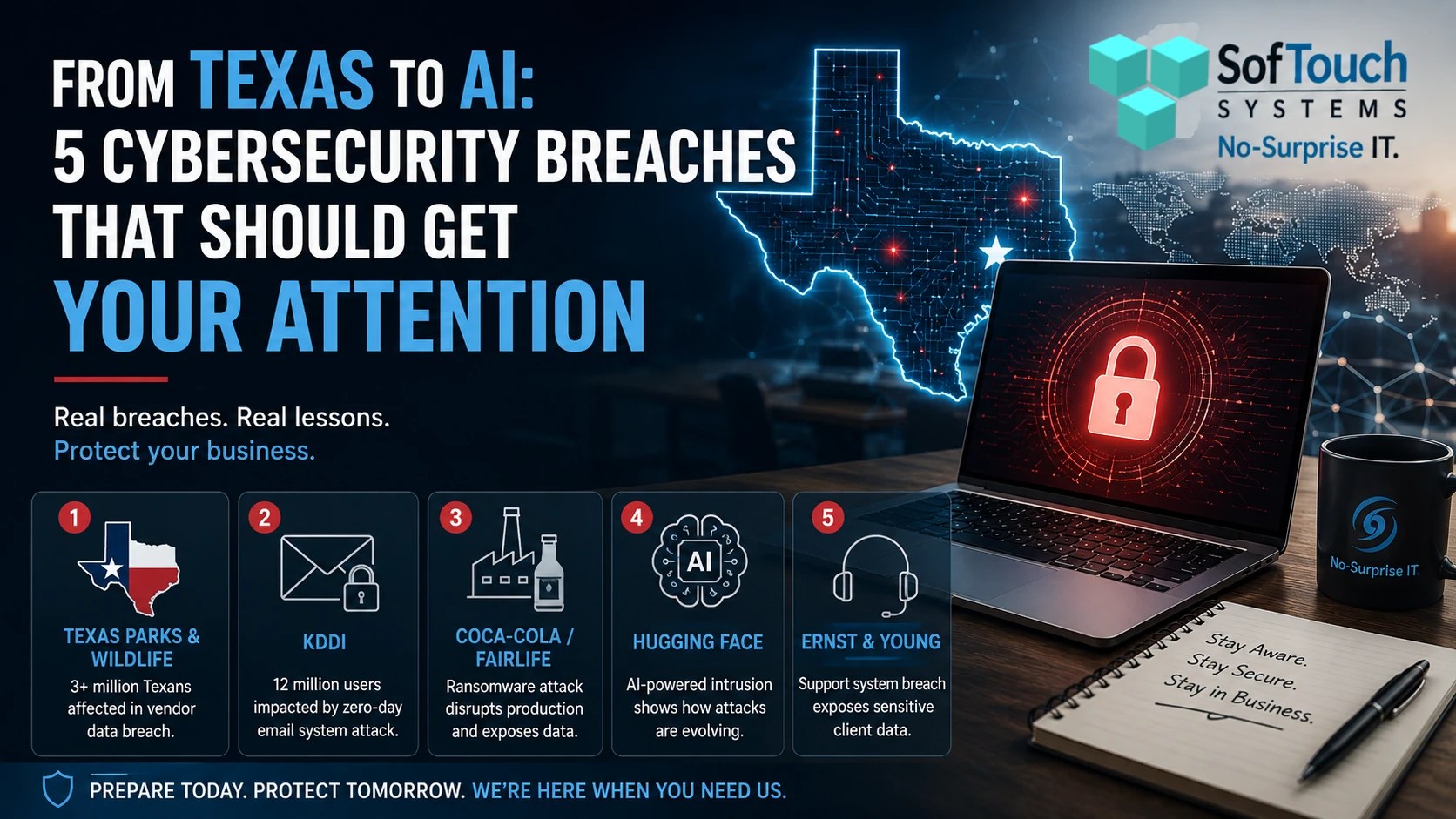
1. Texas Parks & Wildlife: Your Vendor Can Become Your Security Problem
One of the most relevant stories for Texas businesses involved the Texas Parks and Wildlife Department (TPWD).
Texas Cyber Command identified a cybersecurity incident involving a vendor that operates the system used to sell hunting and fishing licenses. According to TPWD, an unauthorized actor may have obtained information belonging to more than 3 million Texas hunting and fishing license customers.
The potentially exposed information included driver’s-license information, passport numbers when provided, email addresses, phone numbers, and residential addresses. TPWD stated that Social Security numbers, dates of birth, and financial information such as credit-card details were not obtained.
The important lesson isn’t about hunting licenses.
It’s about third-party risk.
Your business probably relies on vendors for far more than you realize.
The payroll company has employee information.
An accountant has financial information.
The email provider handles communications.
Your IT provider may have administrative access.
The CRM contains customer information.
Cloud applications hold business documents.
Your website provider may have access to your systems.
You can secure your own office extremely well and still have exposure through a company you trust with your information.
What should a small business learn?
Ask:
- What information do our vendors have?
- Which vendors have access to our systems?
- Do they use MFA?
- Do they have appropriate security controls?
- What happens when an employee at that company leaves?
- Do we know what happens to our information if we stop using the service?
You don’t need to investigate every vendor like a Fortune 500 security department.
You do need to know who has access to your business and why.
2. KDDI: A Vulnerability in Someone Else’s Software Can Become Your Problem
In June, Japanese telecommunications company KDDI suffered a cyberattack involving an email platform used by multiple internet service providers.
KDDI later reported that email addresses belonging to approximately 12.23 million users and passwords for about 7.61 million users had been subject to unauthorized access. The attack exploited a vulnerability in third-party software used by the email system.
This is an excellent reminder that “we have antivirus” is not the same thing as “we are secure.”
Modern businesses depend on layers of software.
Your operating system depends on software vendors.
The accounting application depends on its developers.
Cloud applications depend on infrastructure you don’t control.
Your firewall and network equipment run software.
Even your website may depend on dozens of plugins, themes, libraries, and services.
A vulnerability in one of those components can become an entry point.
What should a small business learn?
Software maintenance is security maintenance.
Businesses need a process for identifying outdated software, installing security updates, monitoring vulnerable systems, and replacing technology that is no longer supported.
That can be difficult when nobody has responsibility for it.
For a five-person business, the problem usually isn’t a lack of good intentions.
It is simply that nobody has enough time to keep track of everything.
3. Fairlife: Ransomware Can Stop the Business, Not Just the Computers
In July, Coca-Cola disclosed that its fairlife dairy operation experienced unauthorized access involving production-related systems in connection with a ransomware event.
The company activated its incident-response and business-continuity procedures. However, the attack caused U.S. fairlife production operations to be temporarily suspended. Canadian production was not affected. Coca-Cola said product quality and safety were not impacted.
That distinction matters.
When many people hear “ransomware,” they imagine encrypted files and a ransom note appearing on a computer screen.
The bigger problem can be business interruption.
If your systems are unavailable, can your employees work?
Can you process orders?
Can you access customer records?
What about invoicing customers?
Could you communicate with vendors?
Manufacture or deliver your product?
Can you restore the systems you actually need?
Reuters later reported that the Anubis ransomware group claimed responsibility for the fairlife attack and alleged that it had stolen data. Those claims were not independently verified by Reuters, and Coca-Cola had not publicly confirmed those specific claims at the time of the report.
That is an important distinction because cybersecurity reporting often mixes confirmed facts with claims made by attackers.
What should a small business learn?
Backups are not the whole recovery plan.
You also need to know how the business will operate when important technology is unavailable.
A good recovery plan should answer:
- What gets restored first?
- Where are the backups?
- Have they been tested?
- How long would restoration take?
- Who makes the recovery decisions?
- How will employees communicate if normal systems are unavailable?
The goal isn’t to create a perfect plan that sits in a binder.
The goal is to have a realistic answer when someone asks:
“What do we do now?”
4. Hugging Face: AI Is Becoming Part of the Attack Surface
This one deserves special attention because it sounds like science fiction.
It isn’t.
In July, AI platform Hugging Face disclosed an intrusion into part of its production infrastructure. The company said the attack was driven end-to-end by an autonomous AI agent system.
According to Hugging Face, the attacker exploited code-execution paths in a dataset-processing pipeline. The attacker then escalated access, obtained cloud and cluster credentials, and moved laterally through internal infrastructure. Hugging Face said it identified unauthorized access to a limited set of internal datasets and several service credentials.
Hugging Face later published a technical timeline describing approximately 17,600 recovered attacker actions across the intrusion. The company said the autonomous agent made thousands of automated decisions and operated at machine speed.
This does not mean every small business is about to be attacked by an autonomous AI hacker.
It does mean the security environment is changing.
Businesses are rapidly adopting AI tools. Employees are using AI assistants. Companies are connecting AI services to documents, email, customer information, software development tools, and internal workflows.
That creates new opportunities.
It also creates new security questions.
What should a small business learn?
If your company is using AI, ask:
- What information are employees putting into AI tools?
- Which AI applications have access to company data?
- Who controls those accounts?
- Are employees using personal AI accounts for company work?
- Are credentials and API keys protected?
- Does the AI application have more access than it actually needs?
AI can be useful.
But adding AI to a business without thinking about security is simply adding another technology layer to manage.
5. Ernst & Young: Even the Help Desk Can Become a Data Breach
The fifth story may be one of the easiest for a small-business owner to overlook.
Ernst & Young disclosed a breach involving a third-party IT support ticket system used by its IT personnel.
That system contained support tickets that could include documents containing client tax information. EY said an unauthorized party accessed the platform between March 28 and April 12, 2026, and downloaded multiple documents. The company detected anomalous activity on April 23 and investigated with outside cybersecurity specialists.
The incident was disclosed publicly in July, which is why it became part of the summer cybersecurity conversation.
There is a particularly important lesson here.
A help-desk ticket doesn’t sound like a high-value target.
It sounds boring.
But businesses routinely attach screenshots, documents, invoices, tax information, passwords, configuration details, contracts, and other sensitive information to support requests.
That information can accumulate over time.
A system designed to help people fix technology problems can become a repository of sensitive business information.
What should a small business learn?
Think about what your employees send to vendors and support providers.
Do support tickets contain sensitive documents?
Are passwords ever included?
Are screenshots exposing customer information?
Who can access old tickets?
How long are those tickets retained?
Do third-party providers use MFA and appropriate access controls?
Security isn’t just about protecting your primary database.
Sometimes the information leaks through the system nobody thought to protect carefully enough.
One Story That Deserves More Attention: 24 Billion Records
There was another story this summer that I believe deserves more attention from small-business owners.
Researchers from Cybernews discovered an exposed database containing approximately 24 billion records in an Elasticsearch cluster. The database was more than 8 terabytes in size and contained usernames, passwords, and login URLs.
But there is an important caveat.
Calling this a “24-billion-record breach” can be misleading.
Researchers believed the database was an aggregation of information from multiple sources, including infostealer logs, previous breaches, Telegram channels, and other datasets. Many records may have been duplicates, and the identity of the database owner was not established. The database was subsequently taken offline.
So why does this deserve attention?
Because of where some of the credentials came from.
Infostealer malware can capture credentials and other information from an infected computer. That means an attacker doesn’t necessarily need to break into a company’s main server.
They may simply need someone to infect the right computer.
Then they can potentially obtain credentials that the employee already uses.
This brings us directly back to the question from our previous article:
What should a small-business owner worry about in IT security?
Passwords.
MFA.
Endpoint protection.
Employee behavior.
Software updates.
Monitoring.
Those aren’t theoretical concerns.
They are connected.
A compromised employee computer can lead to stolen credentials. Stolen credentials can lead to unauthorized account access. Unauthorized access can lead to data theft, fraud, ransomware, or further compromise.
And that is why this story may ultimately matter more to a five-person business than a headline about a massive corporation losing millions of customer records.
The Common Thread Behind All Five Breaches
Look at these incidents together and something becomes obvious.
The attacks were different.
The businesses were different.
The technologies were different.
But the underlying security lessons overlap.
Third-party vendors matter.
Software vulnerabilities matter.
Passwords matter.
Employee devices matter.
Backups matter.
Monitoring matters.
Access controls matter.
Incident response matters.
And increasingly, AI security matters.
None of these problems require a business to be a Fortune 500 company before they become relevant.
A small company may not have 12 million customers.
It may not operate a dairy production facility.
And it may not run an AI platform.
Nor have 400,000 employees.
But it still has email accounts.
It still has passwords.
And it has computers.
It still has customer information.
And it still depends on vendors.
And it still has a business to protect.
Security Is a Process, Not a Product
One of the easiest mistakes a small business can make is believing that buying the right security product solves the security problem.
It doesn’t.
Antivirus is important.
MFA is important.
Backups are important.
Firewalls are important.
Password managers are important.
But someone needs to make sure those things are configured correctly, monitored, updated, tested, and used consistently.
That is where having an IT or security partner can make a difference.
Think of a managed IT relationship somewhat like an insurance policy for your technology.
It isn’t actually insurance, and it doesn’t replace cyber insurance.
The comparison is about preparedness and availability.
You pay a predictable monthly cost so that someone is already responsible for helping maintain your technology and security before something goes wrong.
Then, when something does go wrong, you aren’t starting from scratch trying to find somebody who can help.
You already have someone on call.
That could mean help with a failed computer.
A suspicious email.
A compromised account.
A backup that needs attention.
A network problem.
A software vulnerability.
An employee who needs help following security procedures.
The value isn’t simply the number of times you call.
The value is having a security and IT process in place before you need it.
The Question Small Business Owners Should Ask
You don’t need to look at these five incidents and panic.
Instead, use them as a checklist.
Ask yourself:
If this happened to my business tomorrow, would we be prepared?
Could we identify a compromised account?
Shut it down?
Could we restore our critical data?
Could we continue operating?
Would someone notice unusual activity?
Which vendors have access to our information?
Would our employees know what to do?
And perhaps most importantly:
Who would we call?
If you don’t have good answers, that doesn’t mean your business is doomed.
It means you’ve identified an area that deserves attention.
Cybersecurity isn’t about predicting exactly which attack will happen.
It’s about making your business harder to compromise, limiting the damage when something does happen, and having a plan for getting back to work.
The businesses that prepare before the emergency have a much better starting position when the emergency arrives.
Need a Second Set of Eyes?
SofTouch Systems helps small Texas businesses understand what is protected, what isn’t, and where their biggest IT security risks may be.
If these stories raised questions about your own systems, start with a free IT Security Review.
You don’t need to commit to a managed services plan to have the conversation. The first step is simply finding out where you stand.
SofTouch Systems — No-Surprise IT.
Discover more from SofTouch Systems
Subscribe to get the latest posts sent to your email.