
Ransomware email attacks remain one of the simplest ways criminals can get inside a small business. An employee opens an attachment, clicks a convincing link, or enters a password on a fake login page. From there, attackers may gain access to an account, device, or network and begin working toward the information they want to encrypt or steal.
The important point is that ransomware does not always arrive looking like ransomware.
It may look like an invoice.
It may look like a Microsoft 365 notification.
Or a message from a customer.
It may even appear to come from your boss.
For a small business, that makes email security more than a technical problem. It is a business process involving technology, employees, passwords, and backups.
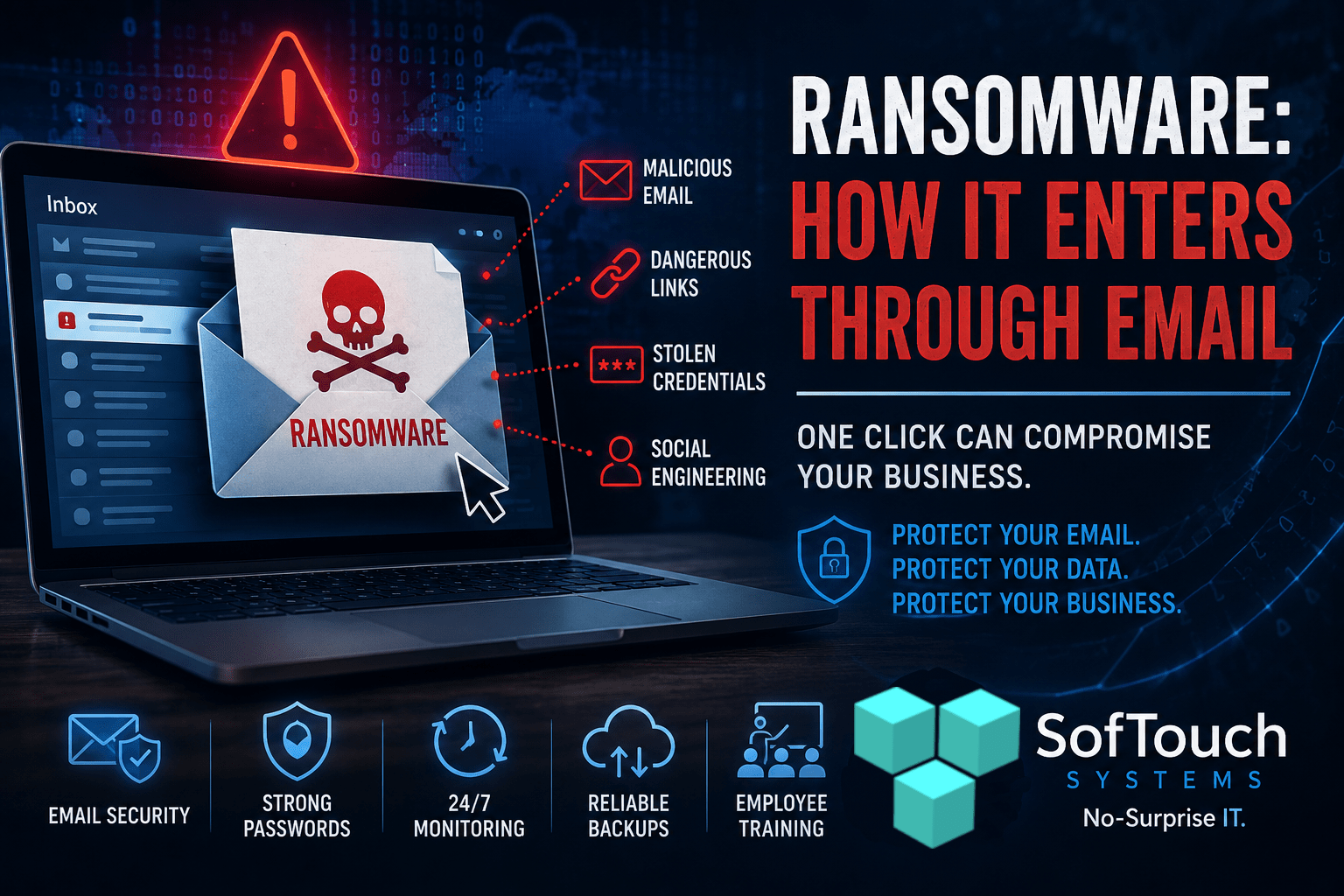
How Does Ransomware Get Into a Business Through Email?
Ransomware can reach a business through several email-based paths. The most common involve malicious attachments, dangerous links, stolen credentials, and social engineering.
The attacker usually doesn’t need to defeat your firewall or break sophisticated encryption.
They may simply need someone to trust the wrong email.
Consider a typical scenario.
An employee receives an email that appears to come from a supplier. The message says an invoice is overdue and provides a link to review it.
The employee clicks.
Instead of opening the invoice, the link leads to a fake Microsoft 365 login page. The employee enters their username and password.
The attacker now has credentials.
From there, the attacker may attempt to access email, cloud applications, files, or other business systems. If the stolen credentials provide sufficient access, the compromise can become much more serious.
That is why ransomware protection needs to address the entire chain, not just the ransomware itself.
1. Malicious Email Attachments
Attachments remain a classic delivery method.
An attacker may send what appears to be:
- An invoice
- A shipping document
- A purchase order
- A résumé
- A tax document
- A shared document
- A scanned receipt
- A voicemail notification
The file may contain malicious code or lead the employee toward downloading something dangerous.
Attackers also use familiar file types and business language because they want the recipient to open the file without thinking too much about it.
That is why employees should be cautious with unexpected attachments, even when the email looks professional.
An attachment isn’t automatically safe because it looks like a PDF, spreadsheet, or document.
2. Malicious Links
Links provide another route into a business.
An email may tell the employee that their account requires verification. Another might claim that a document has been shared with them.
The link may lead to a malicious website or a fake login page.
The objective isn’t necessarily to install ransomware immediately.
Sometimes the first goal is simply to steal the employee’s credentials.
Those credentials can then be used to gain access to legitimate business systems.
This is particularly important for businesses using Microsoft 365, Google Workspace, accounting platforms, CRM systems, cloud storage, and other online applications.
3. Stolen Passwords Can Lead to Bigger Problems
A ransomware attack doesn’t always begin with ransomware.
It can begin with a stolen password.
Suppose an employee uses the same password for email, a cloud application, and another business service. An attacker obtains that password through phishing or another breach.
Now the attacker has multiple opportunities.
This is why password security is part of ransomware protection.
Businesses should use unique passwords for important accounts and require multi-factor authentication wherever appropriate.
A password manager can make this considerably easier for employees. Instead of remembering dozens of passwords, employees can generate and store unique credentials while the business can establish policies for how credentials are managed.
The objective is simple:
Don’t make one stolen password the key to multiple systems.
4. Business Email Compromise Can Make Ransomware More Dangerous
Attackers can also compromise legitimate email accounts.
Once inside an employee’s account, a criminal may study conversations and learn how the business operates.
They may discover:
- Who handles accounting
- Who approves payments
- Which vendors the company uses
- Which customers are expecting documents
- How employees communicate
- What software the business uses
The attacker can then create convincing messages using information gathered from legitimate conversations.
This is where email security becomes a business-wide issue.
An employee may receive a message that looks completely normal because the attacker understands the company’s actual business relationships.
5. Social Engineering Gets Around Good Technology
Technology can block many threats, but no security system can eliminate every human decision.
Attackers understand this.
They create urgency.
“Payment is overdue.”
“Your account will be suspended.”
“Review this document immediately.”
“Your password expires today.”
“The CEO needs this completed now.”
The goal is to make the employee react before they stop to evaluate the message.
This is why cybersecurity training should focus on behavior rather than simply teaching employees to identify obvious spelling mistakes.
Modern phishing emails can look polished.
Employees should learn to question unexpected requests for passwords, payments, sensitive information, or urgent actions, even when the message appears legitimate.
What Happens After Someone Clicks?
A successful phishing email does not automatically mean ransomware has encrypted every computer in the office.
There may be several stages.
An attacker could first steal credentials.
They could then attempt to access another account.
Possibly search for sensitive information.
Or they could attempt to gain additional privileges. (a small crack in the glass is all it takes)
Eventually, they may deploy malware or ransomware.
This matters because businesses need defenses at multiple points.
Email filtering is important. But it is only one layer.
A strong security strategy can include:
- Email filtering
- Endpoint protection
- Multi-factor authentication
- Strong password management
- Security awareness training
- Regular software updates
- Network monitoring
- Access controls
- Reliable backups
- Tested recovery procedures
The goal is to prevent the initial compromise while also limiting the damage if something gets through.
Backups Are Your Last Line of Defense
Even with good security, businesses need to prepare for failure.
A ransomware attack can disrupt files, applications, servers, and operations. A business that has no reliable recovery plan may have very few options.
That makes backups particularly important.
But there is a major difference between having backups and having recoverable backups.
Businesses should know:
- When backups run
- Whether they complete successfully
- How long backups are retained
- Where backups are stored
- Whether backups are protected from unauthorized access
- How quickly critical systems can be restored
- Whether restoration has actually been tested
If the only copy of your backup is accessible from the same environment attacked by ransomware, the backup may not provide the protection you expected.
Recovery planning should therefore be part of ransomware preparedness, not something considered after an attack.
What Should a Small Business Do About Ransomware?
Start with the basics.
1. Secure business email
Use appropriate email filtering and security controls to identify suspicious messages before they reach employees.
2. Protect employee accounts
Require strong, unique passwords and MFA for important business accounts.
3. Use a business password manager
A password manager can help employees create and use unique credentials without making security unnecessarily difficult.
4. Train employees
Teach employees how to recognize suspicious attachments, links, login requests, payment requests, and other social-engineering techniques.
5. Protect every device
Endpoint protection should be installed, maintained, and monitored across business computers and other appropriate devices.
6. Keep systems updated
Security vulnerabilities in operating systems and applications can create additional opportunities for attackers.
7. Monitor your environment
Suspicious activity is easier to address when someone is watching for it.
8. Verify your backups
Don’t assume a backup is working because software says “backup complete.” Test whether your business can actually recover the information it needs.
Ransomware Protection Starts Before the Email Arrives
Ransomware is often described as a highly sophisticated cybersecurity threat.
Sometimes it is.
But the first step can also be remarkably ordinary: an email arrives in an employee’s inbox.
The employee opens it.
They click a link.
They enter a password.
Or they open an attachment.
That single decision can begin a much larger security incident.
The answer isn’t to tell employees never to use email. Email is fundamental to modern business.
The answer is to build layers of protection around it.
Secure email. Strong passwords. MFA. Protected devices. Employee training. Monitoring. Reliable backups. Tested recovery.
That is a much stronger strategy than hoping everyone recognizes the bad email every time.
FAQ
Yes. Email can be used to deliver malicious attachments, links, phishing pages, malware downloads, and other forms of social engineering that can contribute to a ransomware attack.
Usually, simply opening a message does not mean ransomware will automatically infect a computer. The greater risks often involve interacting with malicious attachments, links, files, or websites, or providing attackers with credentials.
Employees should be cautious with unexpected attachments, suspicious links, urgent requests, unfamiliar senders, unusual payment instructions, and requests for passwords or sensitive information. However, modern phishing messages can be convincing, so training should go beyond looking for spelling mistakes.
Endpoint protection can detect and block many malicious activities, but no single security tool provides complete protection. Businesses should use multiple layers, including email security, endpoint protection, MFA, password management, training, monitoring, and backups.
Reliable, properly protected backups can help a business recover after ransomware encrypts or damages data. However, businesses should verify that backups are completing successfully and periodically test restoration procedures.

Is Your Business Prepared for a Ransomware Attack?
SofTouch Systems helps small Texas businesses build practical security protections without turning cybersecurity into an overwhelming technical project.
Our approach combines No-Surprise IT, practical cybersecurity, password-first security, monitoring, endpoint protection, and backup readiness to help businesses identify weaknesses before they become expensive problems.
If you aren’t sure whether your email, passwords, devices, and backups could withstand a ransomware attack, start with a free IT Security Review from SofTouch Systems.
Find the weak spots before someone else does.
Discover more from SofTouch Systems
Subscribe to get the latest posts sent to your email.