
Cybersecurity is often pictured as a battle between hackers and technology.
Firewalls block malicious traffic. Antivirus software detects threats. Password managers protect credentials. Monitoring systems watch for unusual activity.
All of those defenses matter.
But there is another target sitting in the middle of your security system every day:
Your employees.
Cybercriminals know that sometimes the easiest way into a business isn’t through a technical vulnerability. It is through a convincing email, phone call, text message, or conversation.
That’s social engineering.
And phishing is one of its most common forms.
The goal isn’t necessarily to defeat your security software.
The goal is to convince someone to open the door.
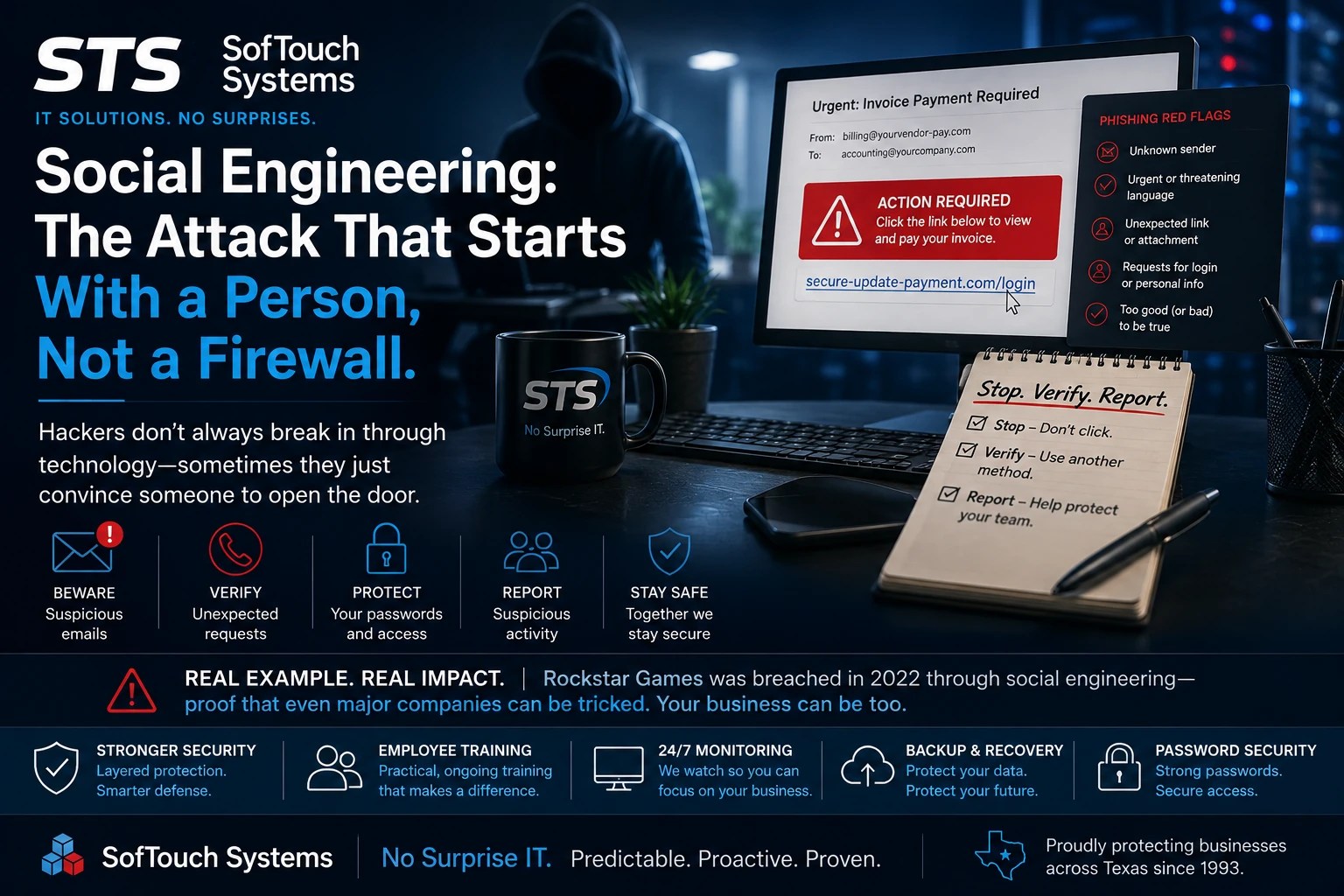
What Is Social Engineering?
Social engineering is the use of psychological manipulation or deception to persuade someone to take an action that benefits an attacker.
That action might include:
- Clicking a malicious link
- Opening an attachment
- Revealing a password
- Approving an MFA request
- Sending money
- Changing banking information
- Installing software
- Giving an attacker remote access
- Revealing information about the company
- Providing access to another employee or system
Phishing emails are one of the most familiar examples.
However, social engineering can happen through phone calls, text messages, social media, messaging platforms, and even face-to-face interactions.
The technology changes.
The basic tactic remains the same:
Get someone to trust the attacker.
Rockstar Games Provides a Powerful Example
The 2022 attack against Rockstar Games illustrates why this matters.
According to the incident information provided for this article, an attacker associated with Lapsus$ gained access to Rockstar’s internal systems through social engineering involving a remote developer. The incident resulted in the theft and release of substantial amounts of early Grand Theft Auto VI development material.
The important lesson isn’t the video game.
It isn’t even the size of the company.
The lesson is that a highly valuable organization with substantial technical resources can still be attacked through its people.
A company can have sophisticated security technology and still face a problem when an attacker successfully convinces an employee to provide access.
That is why employee awareness belongs alongside firewalls, antivirus, monitoring, backups, and password security.
What About the More Recent GTA VI Reports?
Additional 2026 reports have circulated concerning alleged attacks and leaks involving Take-Two Interactive and Rockstar Games, including claims involving an anonymous group calling itself CyberLeek and a separate alleged third-party analytics compromise.
Those reports describe the exposure of additional GTA VI development material and business data.
However, STS should not treat those specific claims as confirmed until they can be verified through reliable sources such as Rockstar, Take-Two, law-enforcement records, or reputable cybersecurity reporting.
That distinction matters.
Cybersecurity companies should not repeat rumors simply because the story is interesting.
The broader security lesson remains valid regardless: attackers increasingly look for people, credentials, vendors, and trusted connections rather than simply trying to break through a firewall.
Why Phishing Works
A phishing email doesn’t have to be perfect.
It only needs to be convincing enough for someone to act before thinking.
Consider this message:
Subject: Urgent — Invoice Payment Required Today
The message appears to come from a vendor.
It contains the company’s logo.
References a legitimate project.
And or it asks an employee to open an invoice and confirm payment information.
Nothing about that scenario necessarily looks like a Hollywood-style cyberattack.
That’s the point.
The attacker is trying to make the request look normal.
STS’s phishing training materials identify several warning signs employees should watch for, including suspicious senders, urgent requests, unexpected links or attachments, requests for credentials, generic greetings, and messages involving unexpected situations.
The more convincing the message becomes, the harder it can be for an employee to recognize the deception.
Attackers Can Use Information Against You
Social engineering becomes more effective when attackers know something about the target.
Suppose an attacker discovers that your company:
- Uses QuickBooks
- Has an upcoming invoice
- Works with a particular supplier
- Has recently hired an employee
- Uses Google Workspace
- Has employees working remotely
- Uses a particular CRM
- Has a specific executive or accounting manager
That information can make a fraudulent message look much more believable.
A generic phishing email says:
“Your account has a problem.”
A targeted message might say:
“Mr Vahn, the attached invoice from ABC Supply needs to be approved before Friday.”
The second message feels legitimate because it contains context.
That is why employees shouldn’t judge an email solely by whether it “looks professional.”
They need to verify the request itself.
The Most Dangerous Word in Cybersecurity May Be “Urgent”
Social engineers frequently create pressure.
Act now.
Your account will be suspended.
Payment is overdue.
Your password expires today.
The CEO needs this immediately.
Pressure reduces the amount of time someone spends thinking.
That’s exactly what the attacker wants.
When an employee receives an unusual request involving money, passwords, sensitive information, or account access, the safest response is often to slow down.
STS’s phishing guidance uses a simple principle:
Pause. Verify. Ask.
That small behavioral change can make a significant difference.
Never Trust an Email Just Because It Looks Familiar
A common mistake is checking only the sender’s display name.
An email might say:
Microsoft Support
while the actual address belongs to an unrelated domain.
The same trick can happen with:
- Vendors
- Banks
- Customers
- Executives
- Payroll providers
- Cloud services
- IT providers
- Shipping companies
Employees should examine the actual sender address and domain rather than relying solely on the name displayed in their inbox.
However, even a legitimate-looking address isn’t always enough.
If the request is unusual, verify it using another method.
For example, if someone emails asking for a bank-account change, don’t reply to the email and ask whether the change is legitimate.
Call the vendor using a known telephone number.
That prevents the attacker from controlling both sides of the conversation.
MFA Helps, But It Isn’t Magic
Multi-factor authentication is an important security control.
It can prevent an attacker from logging into an account using a stolen password alone.
However, employees can also be targeted through MFA phishing and social engineering.
An attacker may attempt to convince someone to provide a verification code or approve a login request.
That’s why employees should understand an important rule:
Never approve an authentication request you didn’t initiate.
If an MFA notification suddenly appears while you aren’t logging in, don’t simply approve it to make the notification disappear.
Report it.
Password Managers Can Reduce the Damage
A business password manager doesn’t eliminate social engineering.
It can, however, reduce several related risks.
A password manager helps employees create and use unique credentials instead of remembering and reusing passwords.
That matters because one compromised password should not automatically unlock multiple business accounts.
STS uses a password-first security approach and offers 1Password as part of its security services. Its business password-management solution includes centralized credential management, shared vaults, permissions, MFA policies, and security visibility.
The objective is not simply to give employees another security tool.
It is to make the secure choice easier.
Training Should Be Practical, Not a Compliance Exercise
One of the weakest approaches to cybersecurity is giving employees a long presentation once a year and expecting them to remember everything.
Effective training should use situations employees actually encounter.
For example:
Scenario: Your CEO emails you asking for a wire transfer.
Question: What do you do?
Or:
Scenario: Your Google Workspace account suddenly asks you to verify your password.
Question: Should you click the link?
Or:
Scenario: A vendor sends a new bank account number.
Question: How do you verify it?
These situations teach employees what to do, not just what phishing theoretically is.
STS provides employee cybersecurity training designed to help staff identify phishing attempts, follow security procedures, and protect sensitive information.
What Should an Employee Do If Something Looks Suspicious?
Give employees a simple process.
1. Stop
DO NOT do the following
Click
Download.
Reply.
Approve an MFA request.
2. Verify
Check the sender.
Look at the actual domain.
Verify unexpected requests through another communication method.
3. Report
Tell your IT provider or designated internal security contact.
4. Warn Others
If the message appears to target multiple employees, make sure the appropriate people know about it.
5. If You Already Clicked, Say So
This is extremely important.
Employees should not be afraid to report mistakes.
A fast report can give IT an opportunity to reset credentials, revoke sessions, isolate a device, or investigate suspicious activity before the problem becomes larger.
Trying to hide a mistake is far more dangerous than making the mistake itself.
Social Engineering Is a Business Problem, Not Just an IT Problem
The accounting department needs to understand phishing.
Sales needs to understand it.
Management needs to understand it.
Human resources needs to understand it.
Reception and administrative staff need to understand it.
The reason is simple: every employee with access to business information can become a target.
And attackers don’t necessarily care whether someone is highly technical.
In fact, technical knowledge isn’t the point.
Social engineering attacks exploit trust, urgency, authority, curiosity, fear, and routine business processes.
That makes employee awareness an important part of your overall security strategy.
Your Security System Includes Your People
The Rockstar example provides an important lesson for businesses of every size.
You cannot protect a company simply by buying more technology.
You need layers.
Those layers can include:
- Strong passwords
- Password management
- MFA
- Antivirus and endpoint protection
- Email security
- Software updates
- Network monitoring
- Backups
- Incident response planning
- Employee training
- Regular security reviews
No single layer is perfect.
The goal is to make an attack harder to execute and limit the damage when something goes wrong.
STS takes that layered approach through its Managed IT and cybersecurity services, combining monitoring, antivirus, patching, password security, employee training, backup protection, and support.
Don’t Wait for Your Employees to Learn From a Real Attack
The worst time to teach phishing awareness is after someone has clicked the link.
Give employees realistic examples.
Teach them how attackers create urgency.
Show them how to inspect sender addresses.
Teach them to verify unusual financial requests.
Give them a clear reporting process.
And most importantly, make it safe for employees to ask questions and report mistakes.
Because your employees aren’t the weakest link in your security.
Untrained employees operating without the right tools and processes are.
A Little Advise From STS
Cybercriminals don’t always need to defeat your security technology.
Sometimes they just need to convince one person that a fraudulent request is legitimate.
The answer isn’t to blame employees.
The answer is to train them, equip them, and give them a security process they can actually follow.
If you’re unsure how well your employees would respond to a phishing attempt, SofTouch Systems can help you evaluate your current security practices and identify areas that need attention.
Schedule a Free IT Security Review with STS and find out where your business may be exposed before an attacker finds the weakness for you.
SofTouch Systems — No Surprise IT. Predictable. Proactive. Proven.
Discover more from SofTouch Systems
Subscribe to get the latest posts sent to your email.