
Summer data breaches are not caused by sunshine, vacations, or bad luck. They rise because small businesses often run thinner, move faster, and pay less attention to routine security habits during the summer months.
That matters for Texas small businesses.
Summer can mean staff vacations, temporary workers, remote logins, travel Wi-Fi, delayed updates, missed backup checks, and fewer people watching alerts. Attackers understand that pattern. They do not need your business to be careless all year. They only need one weak week, one distracted employee, or one ignored warning.
The title says “spike,” but let’s be precise. Not every industry sees the same seasonal increase, and not every breach happens because of summer. However, federal agencies have warned that cybercriminals often target holidays and weekends because offices are closed or understaffed. CISA specifically advises organizations to prepare for ransomware risk around holidays and weekends by using offline backups, avoiding suspicious links, and strengthening defenses before staff are unavailable.
For small businesses, summer creates the same kind of risk window.

Summer Creates Security Gaps
Most small businesses do not have a full-time IT department watching systems around the clock. That is already a risk. During summer, that risk grows because the normal routine breaks down.
A manager may approve a login request from the road. An employee may use a hotel Wi-Fi network without thinking twice. A bookkeeper may delay a software update because payroll needs to get done first. Someone may skip a backup check because half the office is out.
None of those choices feel dangerous in the moment. Together, they create the kind of opening attackers look for.
Cybersecurity does not usually fail because one person makes one dramatic mistake. It fails because several small controls weaken at the same time.
Why Attackers Like Thin Staffing
Attackers prefer times when response is slow.
If ransomware hits at 2:00 p.m. on a regular Tuesday, someone may notice quickly. If it starts on a Friday afternoon before a holiday weekend, the damage may spread for hours or days before anyone reacts. That is why long weekends, holiday schedules, and vacation-heavy periods deserve extra attention.
CISA and the FBI have warned that cybercriminals may view holidays and weekends as attractive timeframes because many organizations are closed or lightly staffed.
Summer has several of those conditions at once:
Employees take vacation.
Managers approve requests from phones.
IT vendors may run reduced schedules.
Backups may go unchecked.
Alerts may wait until Monday.
Temporary staff may use shared or poorly managed credentials.
That is not a technology problem only. It is an operations problem.
Phishing Gets Easier When People Are Distracted
Phishing works best when people are busy, tired, rushed, or uncertain. Summer creates all four.
A fake invoice may look normal during a busy billing week. Even bad fake Microsoft login pages may seem believable when someone is checking email from an airport. A fake “urgent request” from the owner may catch an employee who is covering extra tasks while coworkers are away.
The Verizon Data Breach Investigations Report continues to show that breaches often involve the human element, including social engineering, phishing, and stolen credentials.
That should challenge a common small-business assumption: “We’re too small to be targeted.”
Most attackers do not need to know your business personally. They target weak credentials, exposed systems, reused passwords, unpatched software, and employees who click before they verify. Small businesses are attractive because they often have real money, real customer data, and weaker defenses than larger companies.
Travel Increases Device Risk
Summer travel creates another problem: business devices leave controlled environments.
Laptops move through airports. Phones connect to public Wi-Fi. Employees check email in hotels, restaurants, rental homes, and client offices. Some use personal devices for work because it is convenient.
Convenience is where the trouble starts.
Public Wi-Fi is not automatically unsafe, but it is not something a business should blindly trust. The bigger issue is that travel changes employee behavior. When people work from smaller screens, they rush. Or they will approve MFA prompts without thinking. They download files while distracted. Or use weak passwords because they cannot remember the strong ones.
That is why password-first security matters.
A strong password manager, enforced MFA, and clear employee rules reduce the chance that one travel mistake becomes a company-wide breach.
Weak Passwords Become Bigger Summer Problems
Weak passwords are a year-round risk. Summer makes them worse because people work in less predictable ways.
Employees may log in from new locations. They may use personal devices. They may need access to shared accounts while the usual person is out. Without a password manager, businesses often fall back on unsafe habits:
Shared passwords in spreadsheets.
Passwords sent by text.
Sticky notes.
Reused logins.
Old employee accounts that still work.
One password used across several services.
That is exactly the kind of behavior attackers exploit.
IBM’s 2025 Cost of a Data Breach Report puts the global average breach cost at $4.4 million, while its related data breach explanation lists the U.S. average at $10.22 million. Small businesses may not face those exact enterprise numbers, but the lesson still applies: breaches are expensive, disruptive, and often preventable with better controls.
Delayed Updates Give Attackers Time
Many small businesses delay updates because they fear downtime.
That fear is understandable. A bad update can break software, printers, accounting tools, or line-of-business systems. However, ignoring updates creates a different problem. Known vulnerabilities become easier for attackers to exploit once patches and public technical details are available.
Microsoft’s 2025 Digital Defense Report notes that many threats still target known security gaps, including web assets and remote services, while attackers exploit vulnerabilities faster than ever.
That does not mean every update should be installed blindly the second it appears. It means businesses need patch management, testing, scheduling, and documentation.
In plain English: do not wing it.
Backups Often Get Assumed, Not Verified
Summer data breaches become business disasters when backups fail.
A business owner may assume backups are running because someone set them up years ago. That is not enough. Backups need monitoring, test restores, encryption, offsite storage, and clear recovery expectations.
The hard question is not “Do we have backups?”
The better question is: “Can we restore what we need, from a clean copy, fast enough to keep the business alive?”
CISA’s ransomware guidance specifically recommends offline backups as a practical defense against ransomware impact.
That point matters because ransomware does not only lock files. Modern ransomware may also steal data, pressure victims, attack backups, and disrupt operations. A backup that has never been tested is a hope, not a recovery plan.
AI Adds a New Summer Risk
AI tools are now part of daily work for many small businesses. That creates another summer risk: employees using unauthorized AI tools while managers are away or policies are unclear.
An employee may paste customer data into a public AI tool to summarize an email. A manager may upload a spreadsheet to speed up reporting. A staff member may use an AI browser extension without understanding where the data goes.
IBM’s 2025 breach research highlights the risk of ungoverned AI systems and warns that rapid AI adoption without security and governance puts data and reputation at risk.
This does not mean small businesses should avoid AI. That would be overcorrecting. It means they need rules before the tools spread.
Small businesses can use AI safely, but they need clear policies, approved tools, employee training, and data protection boundaries.
What Texas Small Businesses Should Do Before Summer Gets Busy
A practical summer security review does not need to be complicated. It needs to be done before the office gets thin.
Start with these questions:
Are all employee accounts protected by MFA?
Are passwords stored in a real password manager?
Have inactive accounts been removed?
- Are backups monitored and test-restored?
- Are antivirus and endpoint protections active on every device?
- Are remote access tools secured?
- Are software patches current?
Does someone review alerts when key staff are away?
Do employees know how to report suspicious emails?
Is there a written incident response contact list?
If the answer is “I think so,” treat that as “not verified.”
That is not nitpicking. That is how small businesses avoid expensive surprises.
How STS Helps Reduce Summer Breach Risk
SofTouch Systems helps Texas businesses reduce breach risk with practical, managed protection. STS focuses on clear pricing, proactive service, and plain-English security guidance. That matches the company’s No-Surprise IT positioning and brand promise of simplified, security-first support for small businesses.
STS can help with:
Managed IT services
24/7 monitoring
Antivirus and malware protection
Backup and disaster recovery
Password management with 1Password
Remote IT support
Patch and software management
Cybersecurity training
IT evaluations
AI business security guidance
The goal is not to scare business owners. The goal is to remove weak spots before attackers find them.
The Real Lesson: Summer Does Not Cause Breaches. Weak Routines Do.
Summer only exposes what was already fragile.
If passwords are weak in March, they are still weak in July. Or if backups are untested in April, they are still untested before a holiday weekend. If no one watches alerts during normal weeks, no one will magically catch them when half the staff is gone.
A breach spike is not just a cybersecurity issue. It is a leadership issue.
Small businesses need simple, repeatable security routines that work even when the owner is traveling, the office manager is on vacation, or the regular “computer person” is unavailable.
That is where managed IT earns its keep.
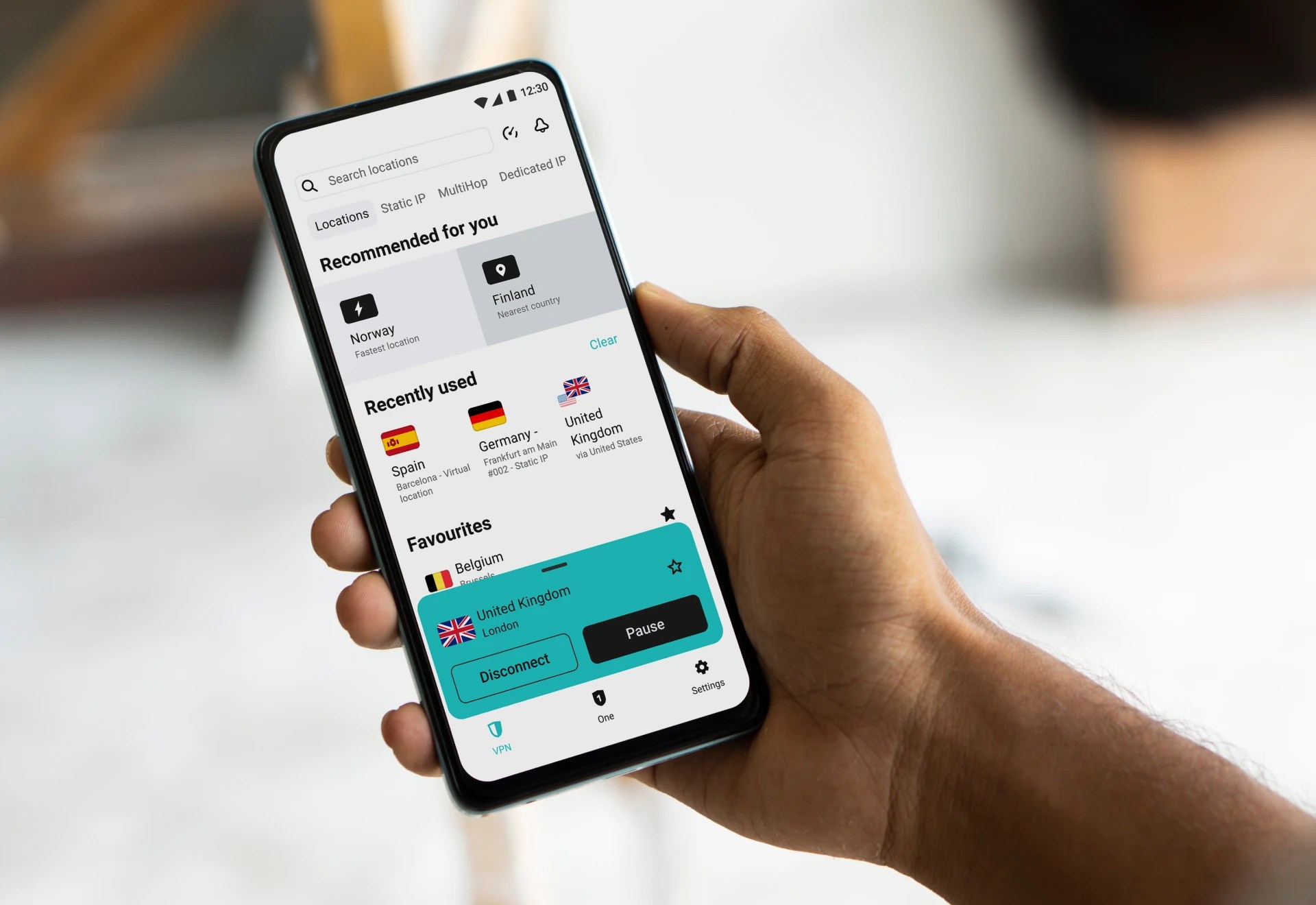
Summer travel can turn a simple work login into a security headache. SurfsharkVPN helps small business owners and remote workers protect their internet connection when using hotel, airport, café, or public Wi-Fi. It adds a practical privacy layer when employees work away from the office, especially during vacation season. Pair it with strong passwords, MFA, monitored devices, and good backup habits.
Affiliate note: STS may earn a tiny commission if you buy through our link — tiny as in “don’t quit your day job” tiny.
FAQ: Summer Data Breaches
Not every breach pattern is seasonal, and “summer spike” should not be treated as a universal law. However, summer often creates conditions attackers like: vacations, long weekends, reduced staffing, travel, and slower response times. CISA and the FBI have warned that holidays and weekends are attractive attack windows for ransomware groups.
Small businesses often have valuable data but limited IT staff. Attackers know many small businesses use weak passwords, delayed updates, shared accounts, and untested backups.
The biggest risk is usually not one tool or one device. It is a combination of weak passwords, phishing, remote access, delayed updates, and slow response when staff are away.
They should avoid sensitive work on public Wi-Fi unless the business has proper protections in place. A VPN, MFA, endpoint protection, and secure device policies help reduce risk, but employees still need training.
Check passwords, MFA, backups, antivirus status, patching, remote access, employee permissions, and incident response contacts. Also confirm who monitors alerts when key staff are unavailable.
Yes. SofTouch Systems can run an IT evaluation to review security basics, backups, passwords, monitoring, and support coverage before a small issue becomes a summer outage.
Next Steps
Summer should be slow for your stress level, not your security.
Schedule a SofTouch Systems IT Evaluation and find out what is protected, what is exposed, and what needs attention before vacation schedules, long weekends, and travel create avoidable risk.
SofTouch Systems — No-Surprise IT for small Texas businesses.
Discover more from SofTouch Systems
Subscribe to get the latest posts sent to your email.